
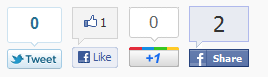
A very simple social share plugin with just 4 social icons. Around 99% of the posts are share with these 4 social icons (i.e Twitter, FB Like, FB Share and Linkedin) then why to have more. Lesser social icons means less load on pages and you pages will load much faster.
[button size=”normal” type=”success” value=”Download” href=”http://wordpress.org/plugins/only-tweet-like-share-and-google-1/”]

Support Forum
Due to huge commenting on this page, it is getting difficult to keep track of all the supports and suggestions. So in the interest of the Plugin users I am opening up a support forum for this plugin. Please post a Suggestion or Ask for help in the forum.
Reference on using the Shortcode and Function to display the button
Display using Shortcode
If you want to display the buttons in the post using shortcode then you can do it using
[social4i size="large" align="float-right"]

[social4i size="large" align="float-right" type="s4_fbshare"]
There are two properties to the shortcode
-
- size ( large or small) – defines the size of the button i.e. large buttons or small buttons
- align (align-left,align-right, float-left or float-right) – defines the alignment of the buttons
- type [Optional] (s4_fblike, s4_fbsend, s4_plusone, s4_fbshare or s4_twitter) – To display only single button of your choice.
Display using call of function
If you want to embed the code directly to your theme then you can call the below PHP function.
<?php
if(function_exists('display_social4i'))
echo display_social4i("large","float-right");
?>
or
<?php
if(function_exists('display_social4i'))
echo display_social4i("large","float-right","s4_fbshare");
?>
The display_social4i($size, $align,$type) has three parameters same as the shortcode
-
- size ( large or small) – defines the size of the button i.e. large buttons or small buttons
- align (align-left, align-right, float-left or float-right) – defines the alignment of the buttons
- type [Optional] (s4_fblike, s4_fbsend, s4_plusone, s4_fbshare or s4_twitter) – To display only single button of your choice.
When using $type, it circumvents the Database settings. Meaning, you do not have to have Facebook Share Enabled in the standard automatic implementation to get it to show up. This way you can use the Database implementation AND the individual type showing a different network without confusing the two. Example: Show Facebook Like, Google +1 and Twitter, then somewhere else show Facebook Share in template shortcode. In the Database you would have to have Like, +1 and Twitter enabled but you would not have to enable Facebook Share. This is nice so the two functions shortcode and standard function don’t interfere with each other when using $type. Main reason for doing this is the Facebook limitation you mentioned. They do not automatically show the # count when using large icons for Facebook Share. This disrupts the flow of the buttons when put together.
–Alexander Conroy (who added the $type functionality to the shortcode)
Change Logs
Click on this Link to see Change Logs
Screenshots

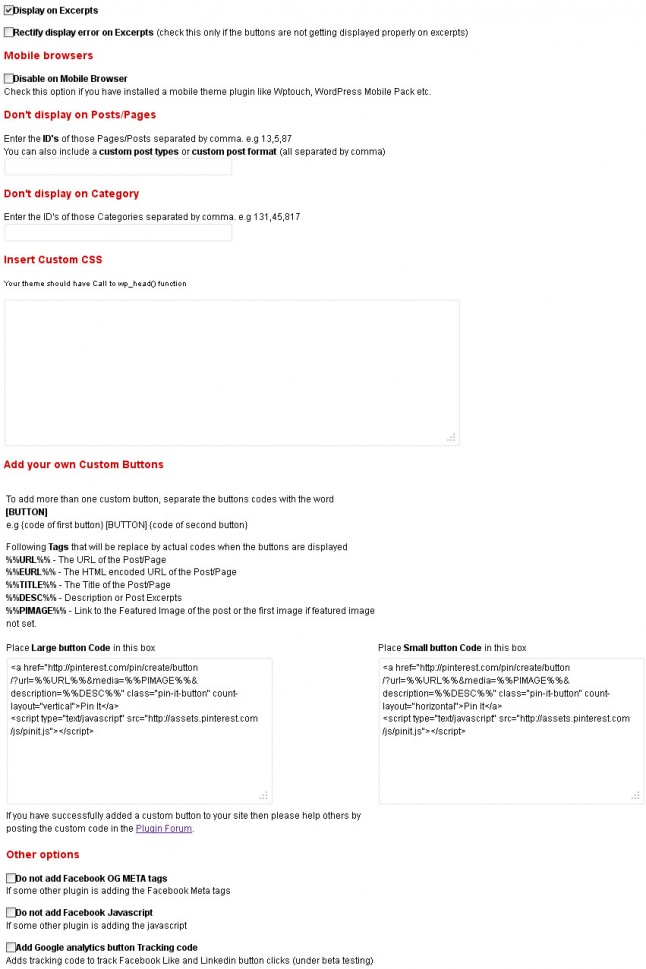
Display Large buttons or Small buttons

Download
Download from WordPress Repo http://wordpress.org/extend/plugins/only-tweet-like-share-and-google-1/
Report bugs or suggest a feature
Please comment on this page to report a bug or to suggest a feature.
Support Forum
Due to huge commenting on this page, it is getting difficult to keep track of all the supports and suggestions. So in the interest of the Plugin users I am opening up a support forum for this plugin. Please post a Suggestion or Ask for help in the forum
Post Bugs and Suggestion in the support forum or comment below.
email : [email protected]


